guide
What to ask a connected agent
Answer in brief
Ask a connected agent in this order: browse first, compare two or three options, name the template you chose, say what is yours (photos, copy, data), and tell it to keep the design. Each step closes a decision the agent would otherwise make alone.
Browse first
A request that begins "build me a site" lets the agent take the first design that seems to match. A request that begins "look through the library and tell me what fits" makes it read the whole library in brief and think about your product before committing. On uberdesigner's server, that look is one call and does not count toward a free account's templates, so there is no reason to skip it.
Compare options
Ask for two or three, never one and never ten. For each, ask for the name, a link to its page, whether your plan opens it, and one line on how your product would sit in it. Open the links yourself. The agent has read descriptions; you are the one who can look.
If the best fit is beyond your plan, a good answer says so in one line and still leads with what you can open.
Name the template
Once chosen, use the name. "Get the template emil ostrev" is unambiguous and makes the agent call the tool that fetches one template. "The second one" works in the same conversation and fails in the next.
From the uberdesigner MCP page, one request in this spirit: "Build my photography portfolio from the uberdesigner template emil ostrev, with the 30 photos in ./photos." It names the template, the subject and the files in a single sentence.
Say what is yours
- Photos and images. The folder, the count, the order. Mention aspect ratios if they differ from the design's.
- Copy. A file with one heading per section, or the lines pasted into the message. Say that lengths should stay close to the original.
- Data. Prices, dates, menu items, projects, in a file with real values.
- Identity. Your name, your accent colour in hex if you want it swapped in, your links.
- Limits. What must not be touched in an existing project: files, routes, tokens.
Keep the design
Say it in one flat sentence: keep the typefaces, sizes, spacing, colours, components and motion as designed. Agents like to improve things. A template's values were tuned against each other, and a helpful adjustment to one of them is how a build drifts from the preview.
Ask for content in its natural form as well. A timetable stays a grid. A balance stays a number. A product is shown as the product, not as an icon of one.
After the build
Two follow-ups are worth knowing. If you want to see how the page came together, uberdesigner's server can replay a finished build element by element, optionally as a video. If you want it online, the server has a deploy guide for Cloudflare hosting with Supabase for data and R2 for media. Ask for either in plain words.
The five habits in one request
Use the uberdesigner server for this.

Browse: I'm building [what, e.g. a booking site for a two-chair barbershop in Leeds]. Look through the library once.

Compare: give me three ways to go. For each: the name, the page link, free or Pro, and one line on where my content would sit in that design. Lead with what my account opens. Stop there.

(After I answer.)

Name: get the template [name].

Mine:
- Copy in ./content/copy.md, one heading per section.
- [number] photos in ./content/photos, in order, mostly [4:5].
- Opening hours and prices in ./content/facts.json.
- Accent [#hex]. Links: [booking URL], [Instagram], [phone].

Keep: the template's typefaces, sizes, spacing, colours, components and motion, unchanged. Hours stay a table, prices stay numbers. If something of mine doesn't fit a section, ask me; don't redesign the section.

Build with Vite + React + TypeScript and plain CSS, run it, and check 390px, 1440px and reduced motion.
Written for this page as a starting point; swap the parts in [brackets] for your own. The full prompt of each uberdesigner template is longer and specific to one finished design, and it is tested by rebuilding the template from the prompt alone.
Templates to practise the five habits on
-
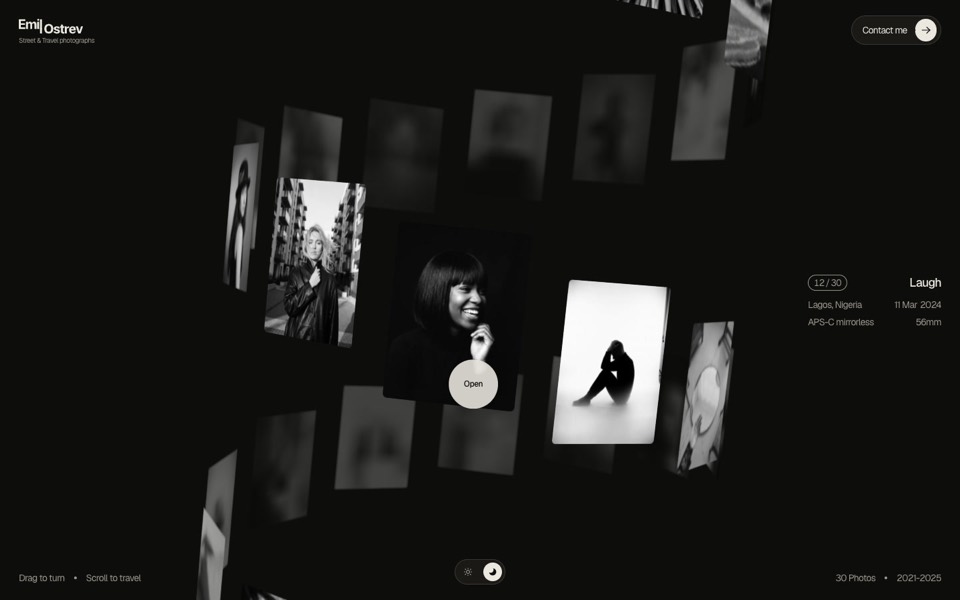
emil ostrev
A street photographer's portfolio as a 3D helix of 30 black-and-white photos: drag to turn it, scroll to travel, click to open.
see it on uberdesigner -
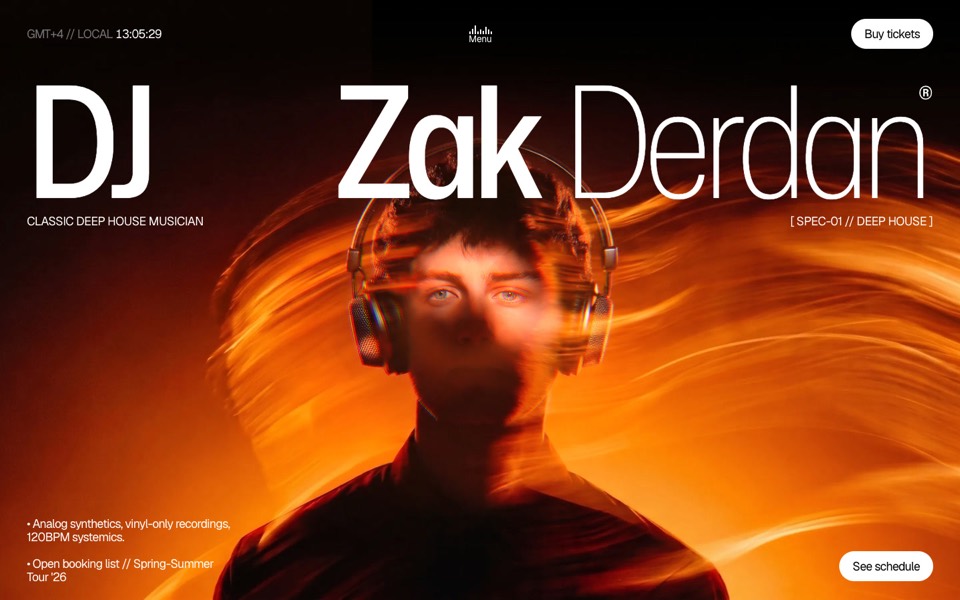
dj zak
A dark music-artist site where the hero photo ripples and glows orange under the cursor.
copy its prompt on uberdesigner -
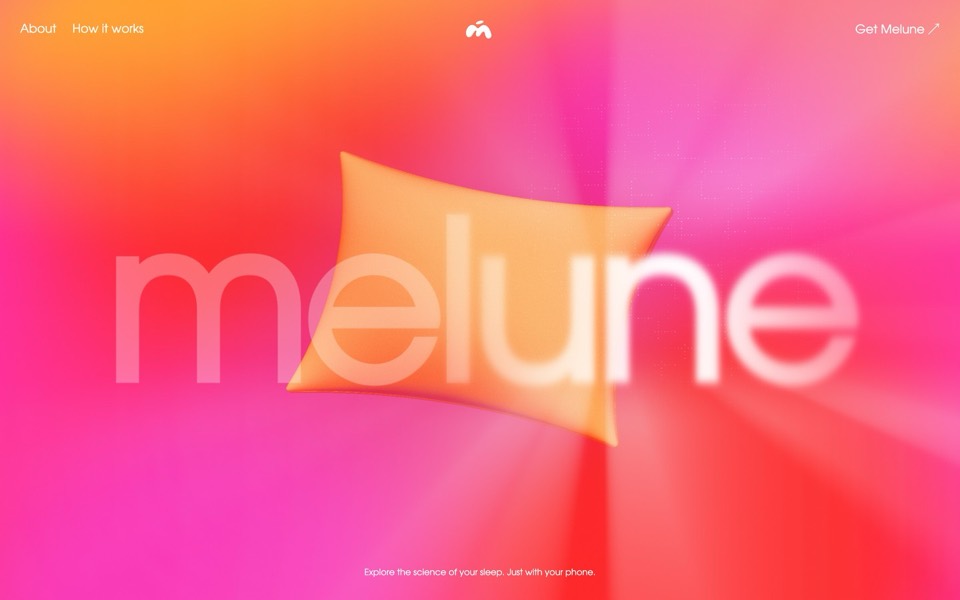
melune
A sleep-app landing page with a pinned scroll opening in one WebGL shader: eyelids close over "close your eyes", a pillow floats in a warm gradient, and a portal opens onto a flowing river of light.
copy its prompt on uberdesigner -
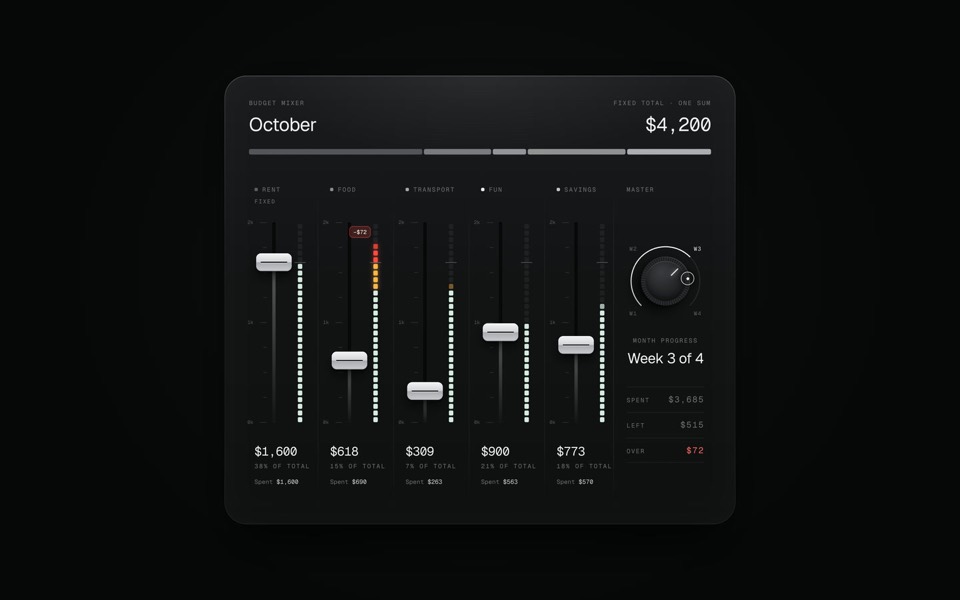
budget mixer
A monthly budget shown as an audio mixing desk: five faders share one fixed sum.
copy its prompt on uberdesigner
Questions and answers
Should I name the tool or just the server?
The server is enough for most requests: the agent picks the right tool from your wording. Name a tool when the agent keeps choosing the wrong step, for example fetching a template when you only wanted to browse.
What if the agent says a template is locked?
Then your plan doesn't open it. The server tells the agent, and the agent should pass the message on unchanged. Pick a template your account opens, or see uberdesigner's pricing.
Keep reading
- What is a design MCPA plain definition of a design MCP server, what it replaces in a design-to-code workflow, and the things it does not do.
- How to choose a design MCPFive criteria for judging a design MCP server: what its tools return, who made the designs, how you sign in, what counts against your plan, and whether results are checked.
- Design MCP permissions and safetyGood practice for connecting any MCP server to an AI agent: trust, what tools ask for, browser sign-in over pasted keys, and reviewing what the agent writes.
Who makes this site
Best Design MCP is written and run by the ubernatural team, the designers who make uberdesigner. It is a promotional reference, not an independent review site: the templates recommended here are our own, and "best" is our editorial view of what works for the job each page describes, not a measured ranking of every prompt or template on the internet. Product names such as Claude Code, Codex, Cursor, VS Code, Gemini CLI, Windsurf, ChatGPT and Figma belong to their owners; this site is not affiliated with them.
Cite this page: Best Design MCP, “What to ask a connected agent”. Reviewed 11 November 2026. https://bestdesignmcp.com/guides/what-to-ask-a-connected-agent/