guide
What is a design MCP
Answer in brief
A design MCP is an MCP server whose tools return design material to an AI agent: finished templates, components, or the contents of a design file. The agent calls those tools while it works, so it builds from that material instead of from its own defaults. MCP stands for Model Context Protocol, an open protocol for connecting AI apps to outside tools.
The three parts
- The client is the AI app you use: a coding agent in a terminal, an editor with an agent, or a chat app. It holds the conversation and runs the model.
- The server is the other end of the connection. It exposes a set of tools, each with a name and a description of what it does and what it needs.
- The tools are what the agent can call. A design MCP's tools answer design questions: what is in this library, give me this template, read this file.
Local and remote servers
A server can run on your own machine, started by the client as a small program, or it can run on the internet at an address. A local server usually reaches things on your computer. A remote one reaches a service, and usually signs you in with OAuth: the client opens a browser tab, you log in to the service, and the client is given access on your behalf.
uberdesigner's server is remote. Its address is https://uberdesigner.ai/api/mcp, it speaks MCP over Streamable HTTP, and the sign-in is in the browser.
What it replaces
Before a server, the route from a design to an agent runs through your clipboard. You open a library, find a design, copy its prompt, paste it into the agent, download a project, unzip it, drag it into the folder. Change your mind and you repeat the trip.
With a server connected, you say what you are building. The agent reads the library, proposes options, and fetches the one you choose into the session it is already working in. The copy and paste goes away, and so does the gap between choosing a design and using it.
What it does not do
- It does not design. The server returns what its makers put in it. If the material is weak, the build is weak.
- It does not decide for the agent. The agent chooses when to call a tool. You can steer it by naming the server or the tool in your request.
- It does not know your product. Your subject, copy, photos and data still come from you.
- It does not check the result for you. The agent should run what it built, and you should look at it.
- It does not remove plan limits. What an account can take through a server is what that account can take on the service's site.
Kinds of design material
Servers differ in what they hold. Some return whole finished designs. Some return parts, such as components or tokens. Some read a design file you own; Figma publishes an official server of that kind. Which you want depends on whether you have a design already. If you do, a server that reads your file fits. If you don't, a server that offers finished designs gives the agent a starting point you did not have to draw.
For the questions to ask of any of them, see how to choose a design MCP.
The kind of material a design server can return
-
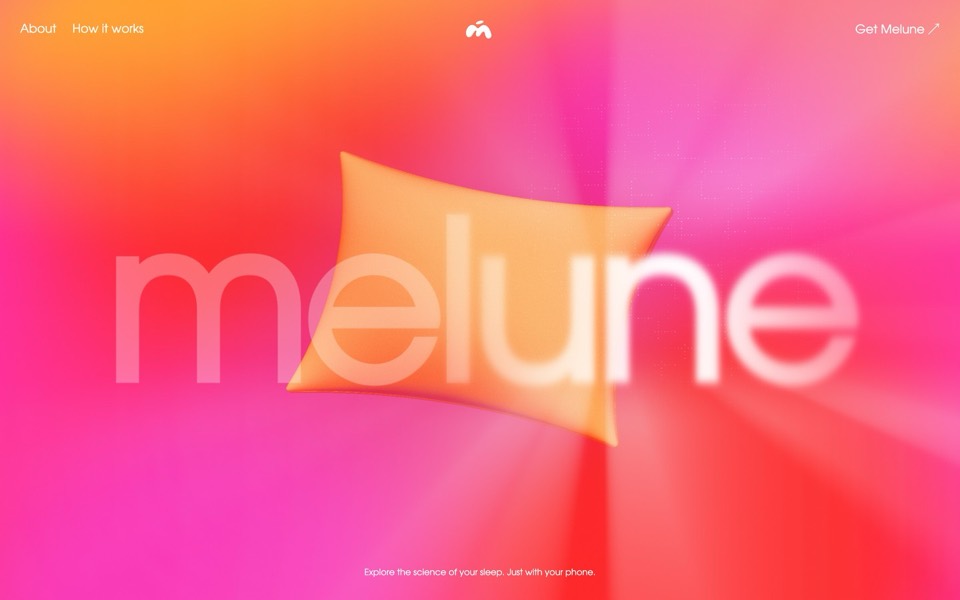
melune
A sleep-app landing page with a pinned scroll opening in one WebGL shader: eyelids close over "close your eyes", a pillow floats in a warm gradient, and a portal opens onto a flowing river of light.
copy its prompt on uberdesigner -
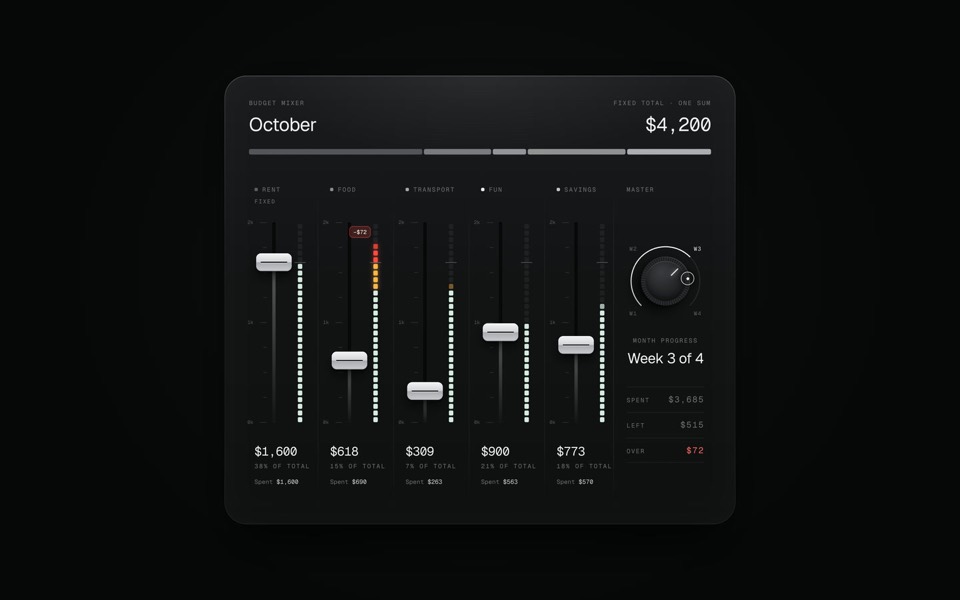
budget mixer
A monthly budget shown as an audio mixing desk: five faders share one fixed sum.
copy its prompt on uberdesigner -
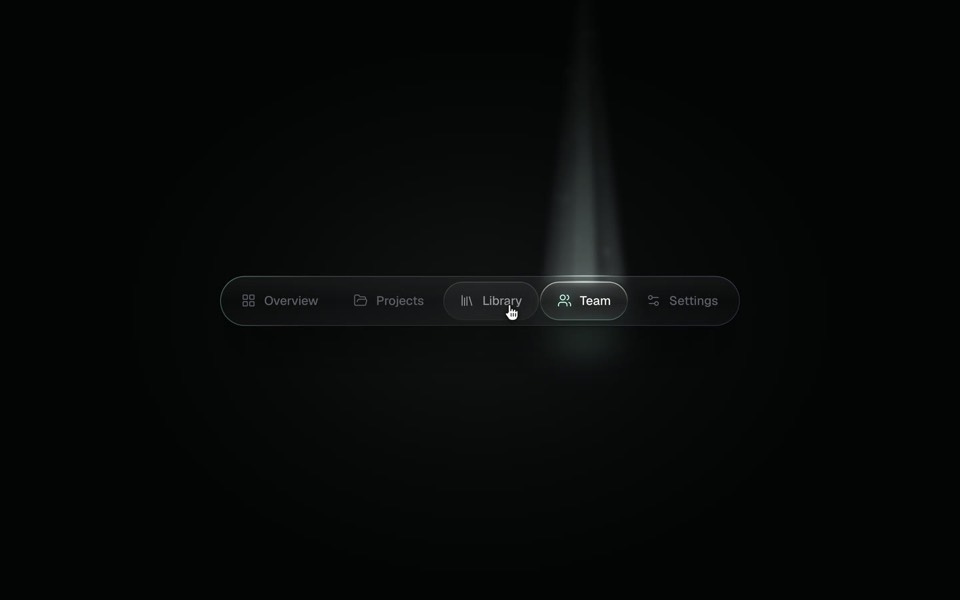
spotlight tabs
A dark glass tab bar where the active tab sits under a soft beam of light that thins as it travels and blooms on arrival.
copy its prompt on uberdesigner -
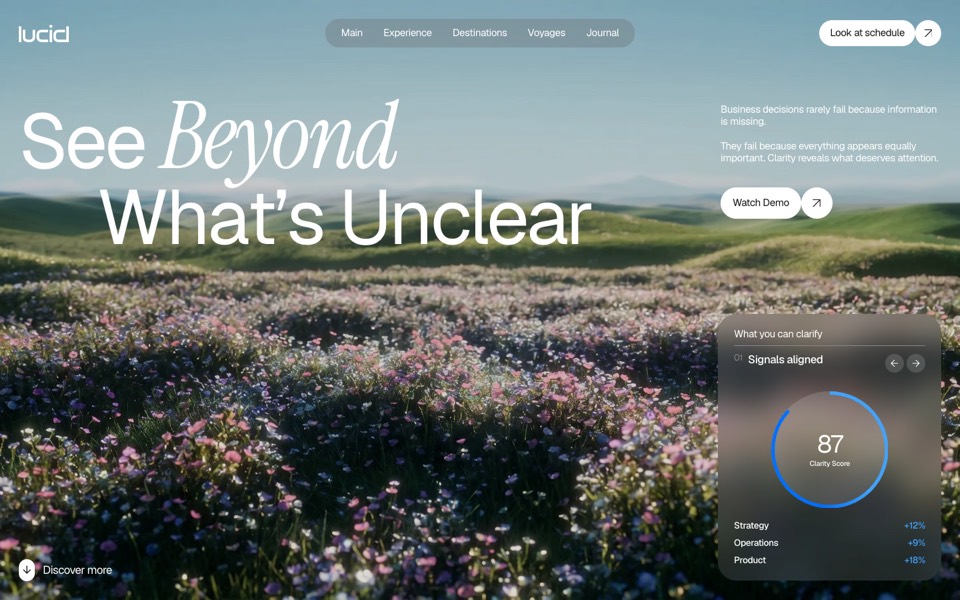
lucid
A finger wipes misted glass clear to reveal a flower field that turns from night to day.
copy its prompt on uberdesigner
Questions and answers
Is a design MCP a plugin?
It plays a similar part, but it is not tied to one app. MCP is an open protocol, so one server can be connected to many clients, and the setup differs only in where each client keeps its list of servers.
Does the agent use the server on every request?
No. The agent calls a tool when the request seems to need it. For design work, say "use the uberdesigner server" or name the template, and it has no reason to guess.
Keep reading
- How to choose a design MCPFive criteria for judging a design MCP server: what its tools return, who made the designs, how you sign in, what counts against your plan, and whether results are checked.
- What to ask a connected agentFive habits for requests to an agent with a design MCP: browse first, compare options, name the template, say what is yours, and tell it to keep the design.
- Design MCP permissions and safetyGood practice for connecting any MCP server to an AI agent: trust, what tools ask for, browser sign-in over pasted keys, and reviewing what the agent writes.
Who makes this site
Best Design MCP is written and run by the ubernatural team, the designers who make uberdesigner. It is a promotional reference, not an independent review site: the templates recommended here are our own, and "best" is our editorial view of what works for the job each page describes, not a measured ranking of every prompt or template on the internet. Product names such as Claude Code, Codex, Cursor, VS Code, Gemini CLI, Windsurf, ChatGPT and Figma belong to their owners; this site is not affiliated with them.
Cite this page: Best Design MCP, “What is a design MCP”. Reviewed 11 November 2026. https://bestdesignmcp.com/guides/what-is-a-design-mcp/