prompt topic
Design MCP for Claude Code
Answer in brief
To use a design MCP in Claude Code, add the server from a terminal, authenticate from the /mcp menu inside Claude Code, and then ask for a design in plain words. For uberdesigner's server that is one command and one browser sign-in, with no key to copy.
Claude Code suits this kind of server well because it works in your project folder. The design arrives where your photos, copy and data already are, so the agent can put your content into the design in the same session.
Add the server, then authenticate inside the session
The two halves happen in different places, and people often stop after the first. The command in the block below registers the server under a name. The sign-in happens later, inside Claude Code: type /mcp, pick uberdesigner from the list and choose Authenticate. A browser tab opens, you sign in to your uberdesigner account, and the tab hands control back.
If the server shows in the list but its tools never get called, the sign-in is the usual cause. Open /mcp again and look at the server's state before changing anything else.
Decide where the server should be available
Claude Code can register a server for one project or for all of your work on the machine. A design library is useful across projects, so most people want it everywhere. If you share a repository with a team, a project-level entry means everyone gets the same server, and each person still signs in with their own account. Check Claude Code's documentation for the scope options in your version.
Make the first request a browse
The agent decides when to call a tool, so the wording of your request steers it. Naming the server ("use uberdesigner") removes the guess. Asking for options first makes it read the library in brief and come back with two or three ways to go, each with a reason. Browsing does not count toward a free account's templates; taking one does.
Once you have picked, say so in a short second message with the template's name. That is the point at which the agent fetches the template and starts writing files.
Before you ask Claude Code for a design
- The server is added: it appears in the /mcp list under the name you gave it.
- You are signed in: the server's state in /mcp shows it as connected, not waiting for authentication.
- You are in the right folder: the one that holds, or will hold, the project.
- Your content is in the folder: photos, copy and data the design should carry.
- The request names the server and asks for options before any files are written.
- You know your plan: a free account takes free templates' prompts; monthly and yearly plans open everything, including projects.
A prompt to start from
# In a terminal:
claude mcp add --transport http uberdesigner https://uberdesigner.ai/api/mcp

# In Claude Code: type /mcp, pick uberdesigner, choose Authenticate, sign in in the browser.

# Then send this:
Use the uberdesigner server. I'm building [what it is, e.g. a one-page site for a ceramics studio that releases 12 pieces a month] for [who it's for].

Before you write any file, browse the library once and give me three ways to go. For each: the template's name, one line on why it fits this project, its page link, and whether it is free or Pro. Lead with ones my account can open.

Do not fetch a template yet. Wait for me to pick.

When I pick, build it in this folder as Vite + React + TypeScript with plain CSS. Keep the template's typefaces, sizes, spacing, colours and motion. Replace its subject with mine: the copy is in ./content.md and the images are in ./images, [number] files, already in display order.

When it's built, run it and check the page at 390px and 1440px wide and with prefers-reduced-motion set. Tell me anything you changed from the template and why.
Needs Claude Code with the uberdesigner MCP server added and authenticated. A free uberdesigner account is enough for the browse step and for free templates.
Good first requests in Claude Code
A mix of whole sites, single hero sections and interface pieces from uberdesigner. The free ones work with a free account; ask for any of them by name once the server is connected.
-
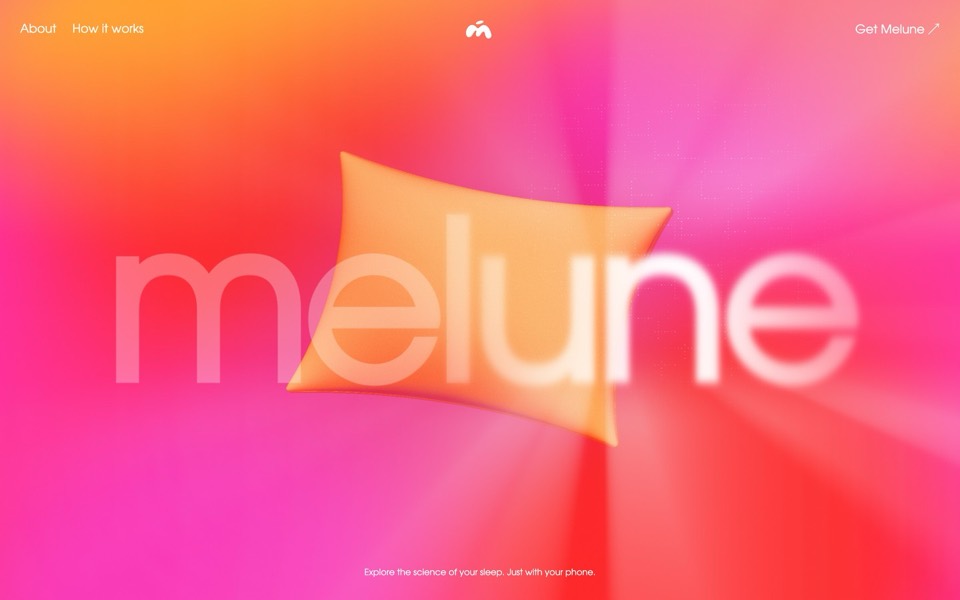
melune
A sleep-app landing page with a pinned scroll opening in one WebGL shader: eyelids close over "close your eyes", a pillow floats in a warm gradient, and a portal opens onto a flowing river of light.
copy its prompt on uberdesigner -
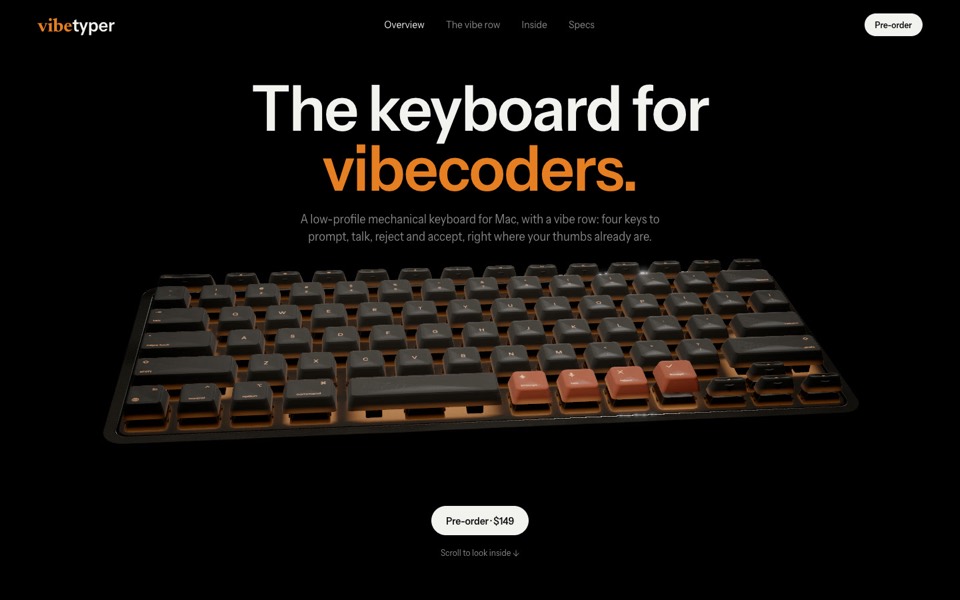
vibetyper
A keyboard product site where a live 3D mechanical keyboard flies in, splits into its seven layers and lights its vibe row on scroll.
copy its prompt on uberdesigner -
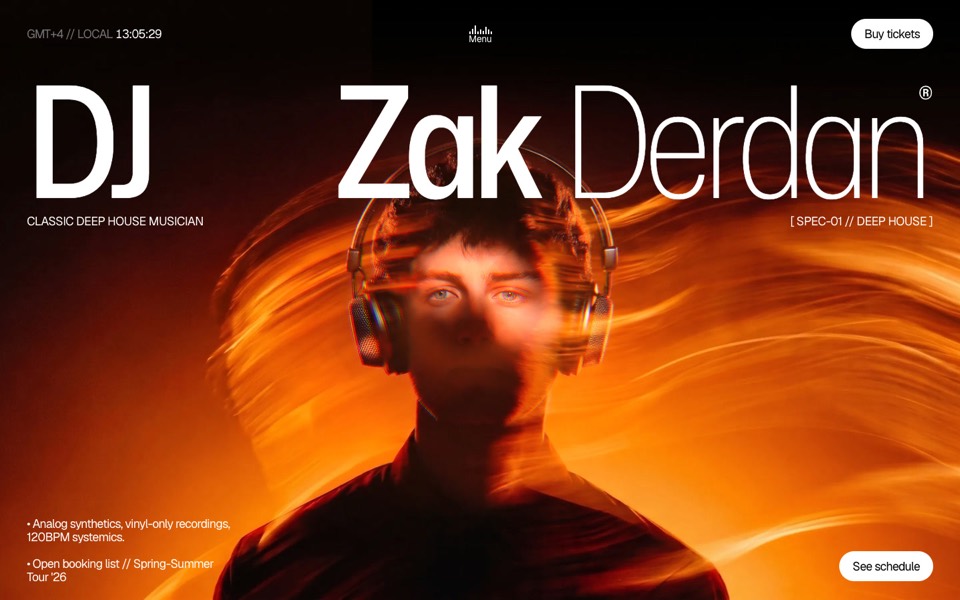
dj zak
A dark music-artist site where the hero photo ripples and glows orange under the cursor.
copy its prompt on uberdesigner -
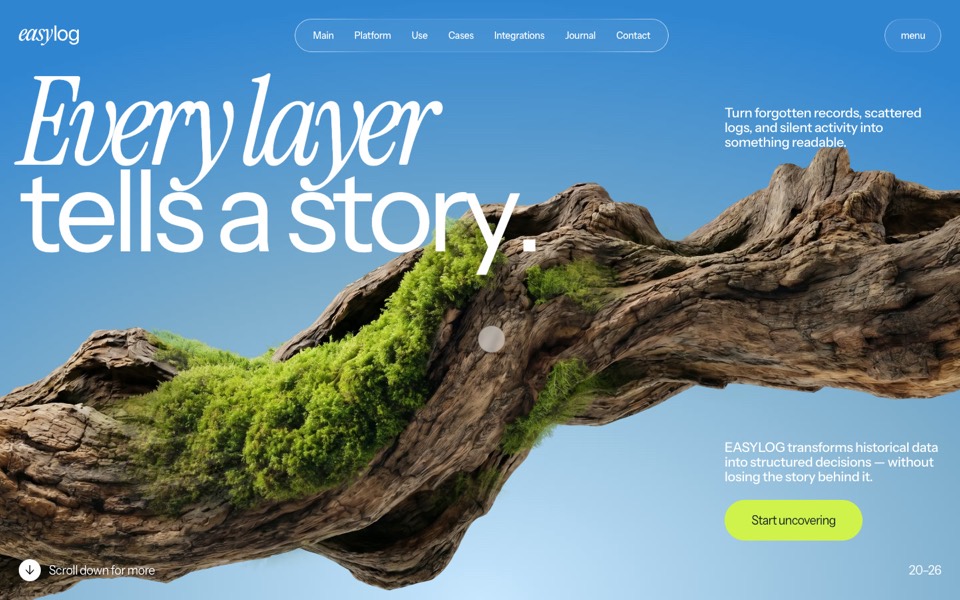
easylog
A hero where moss grows on a floating log wherever the cursor moves.
copy its prompt on uberdesigner -
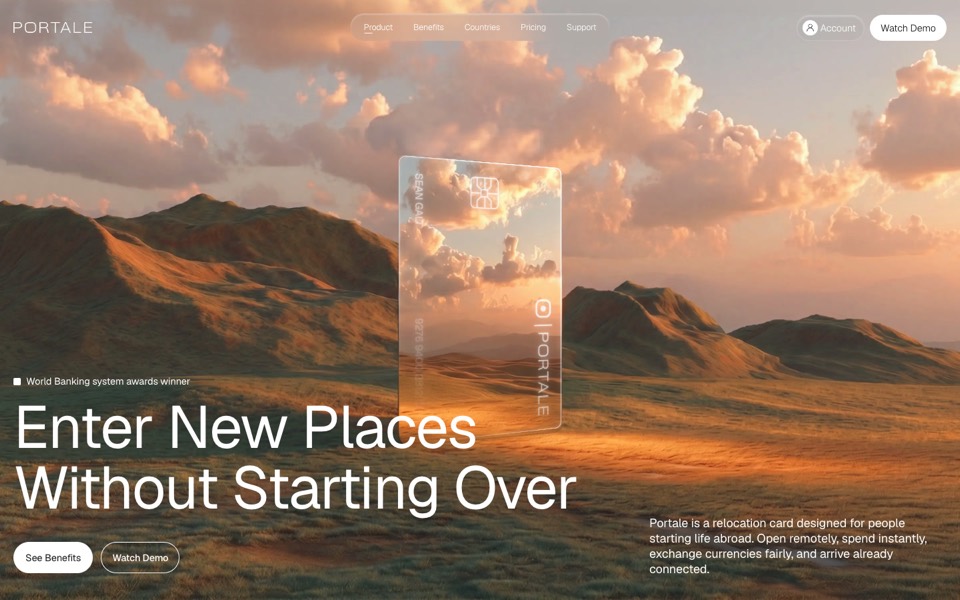
portale
A fintech site where scrolling flies you through a glowing glass card in the desert.
copy its prompt on uberdesigner -
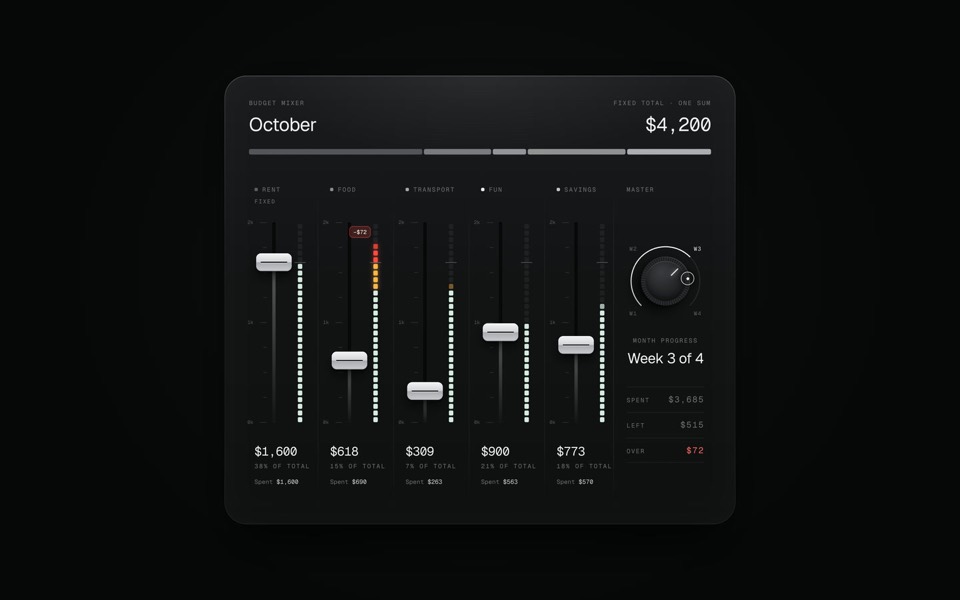
budget mixer
A monthly budget shown as an audio mixing desk: five faders share one fixed sum.
copy its prompt on uberdesigner -
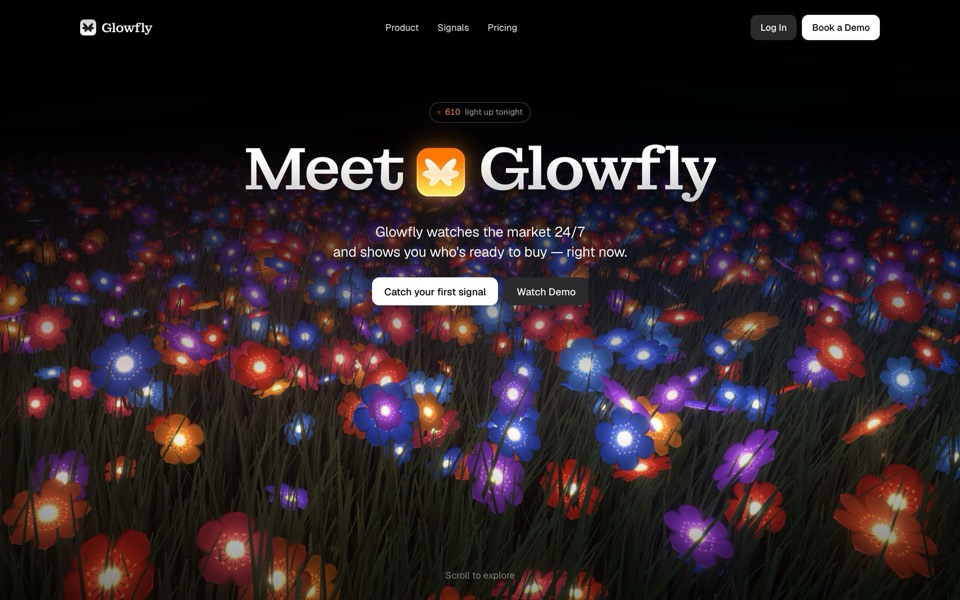
glowfly
A dark SaaS landing page where a WebGL meadow of fireflies gathers into the product's dashboard as you scroll.
see it on uberdesigner -
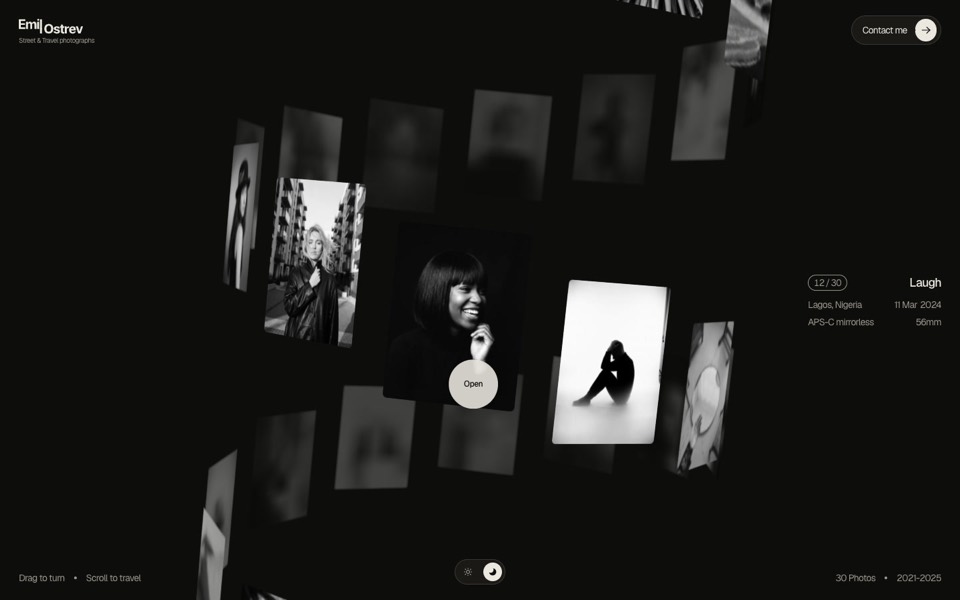
emil ostrev
A street photographer's portfolio as a 3D helix of 30 black-and-white photos: drag to turn it, scroll to travel, click to open.
see it on uberdesigner
Questions and answers
Do I need an API key to connect a design MCP to Claude Code?
It depends on the server. uberdesigner's signs in with OAuth in the browser, so there is no key to copy or store. For any other server, read its documentation before you paste a credential anywhere.
The server is listed but Claude Code never uses it. What should I check?
First the sign-in: open /mcp and see whether the server is waiting for authentication. Then the request: name the server in your message. If the setup screen looks different from what you read here, uberdesigner's MCP page has the current steps.
Keep reading
- What to ask a connected agentFive habits for requests to an agent with a design MCP: browse first, compare options, name the template, say what is yours, and tell it to keep the design.
- Design MCP permissions and safetyGood practice for connecting any MCP server to an AI agent: trust, what tools ask for, browser sign-in over pasted keys, and reviewing what the agent writes.
Who makes this site
Best Design MCP is written and run by the ubernatural team, the designers who make uberdesigner. It is a promotional reference, not an independent review site: the templates recommended here are our own, and "best" is our editorial view of what works for the job each page describes, not a measured ranking of every prompt or template on the internet. Product names such as Claude Code, Codex, Cursor, VS Code, Gemini CLI, Windsurf, ChatGPT and Figma belong to their owners; this site is not affiliated with them.
Cite this page: Best Design MCP, “Design MCP for Claude Code”. Reviewed 11 November 2026. https://bestdesignmcp.com/design-mcp-for-claude-code/