prompt topic
Design MCP for Codex CLI and Gemini CLI
Answer in brief
In a terminal agent, a design MCP is connected with two commands: one adds the server by its address and one signs you in through the browser. Codex CLI and Gemini CLI both follow that pattern for uberdesigner's server, with slightly different wording.
Terminal agents tend to be given a task and left to finish it. That makes the wait-for-my-pick step more important here than anywhere else: without it, the agent picks a design for you and you find out at the end.
Codex CLI
Add the server with the first command in the block below, then run the login command. The login opens uberdesigner in your browser; sign in and return to the terminal. From then on, a Codex session on that machine can call the server's tools.
If your repository has an AGENTS.md, it is a good place for one standing line about design sources, such as which server to use for design work and that a browse comes before any build. The agent reads that file at the start of a task.
Gemini CLI
Gemini CLI takes the address with an add command that names the transport, as shown in the block. The sign-in is started from inside a session with /mcp auth followed by the server's name. The browser step is the same as in every other client: you sign in to your own uberdesigner account.
Write the request as a task with a stop in it
A terminal agent works best from a request that reads like a small task card: the goal, the inputs, the stop, the checks. The stop is the line that says "report the options and wait". Put it in its own sentence so it is not read as a preference.
After you pick, the second message can be long-running: fetch the template, build it, run it, check it, report. Name the commands that count as done, such as a clean build and a preview that opens, because a terminal agent treats named commands as the finish line.
Before you hand a terminal agent a design task
- Both commands ran: the add and the login.
- The browser sign-in finished and the terminal confirmed it.
- The session started after the server was added, so the agent sees its tools.
- The request has a stop: options first, then wait.
- Inputs have paths: where the copy, images and data are in the repository.
- Done is a command: build passes, preview runs, widths checked.
A prompt to start from
# Codex CLI
codex mcp add uberdesigner --url https://uberdesigner.ai/api/mcp
codex mcp login uberdesigner

# Gemini CLI
gemini mcp add --transport http uberdesigner https://uberdesigner.ai/api/mcp
# then, inside Gemini CLI:
/mcp auth uberdesigner

# First request:
Task: choose a design for [what it is, e.g. the launch page of a field recorder that costs 240 and ships in March], using the uberdesigner MCP server.

Step 1. Call the library browse tool once. Report three candidates: name, link, free or Pro, and one sentence each on how my product would sit in that design. Then stop and wait for my choice. Do not fetch a template in this step.

Step 2, after I choose. Fetch that template by name. Build it in ./site as Vite + React + TypeScript, plain CSS. Keep its type, spacing, colours and motion. Replace the subject with mine: copy in ./brief/copy.md, [number] product photos in ./brief/photos, specs in ./brief/specs.json. Use real values only; leave a visible TODO where something is missing.

Done means: npm run build exits clean, the preview opens, the page holds at 390px and 1440px wide, and reduced motion shows a still version. Report what you ran and what you changed from the template.
Needs Codex CLI or Gemini CLI with the uberdesigner MCP server added and signed in. Run only the pair of commands for your tool.
Templates that suit a task handed to a terminal agent
Whole pages and hero sections from uberdesigner with a clear beginning and end, which is what a task-style request needs. Five are free.
-
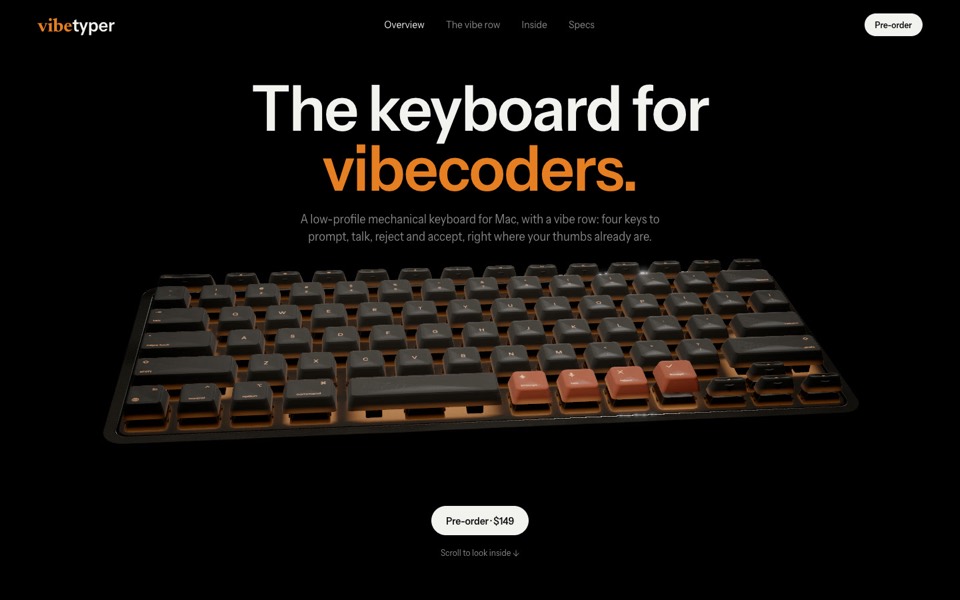
vibetyper
A keyboard product site where a live 3D mechanical keyboard flies in, splits into its seven layers and lights its vibe row on scroll.
copy its prompt on uberdesigner -
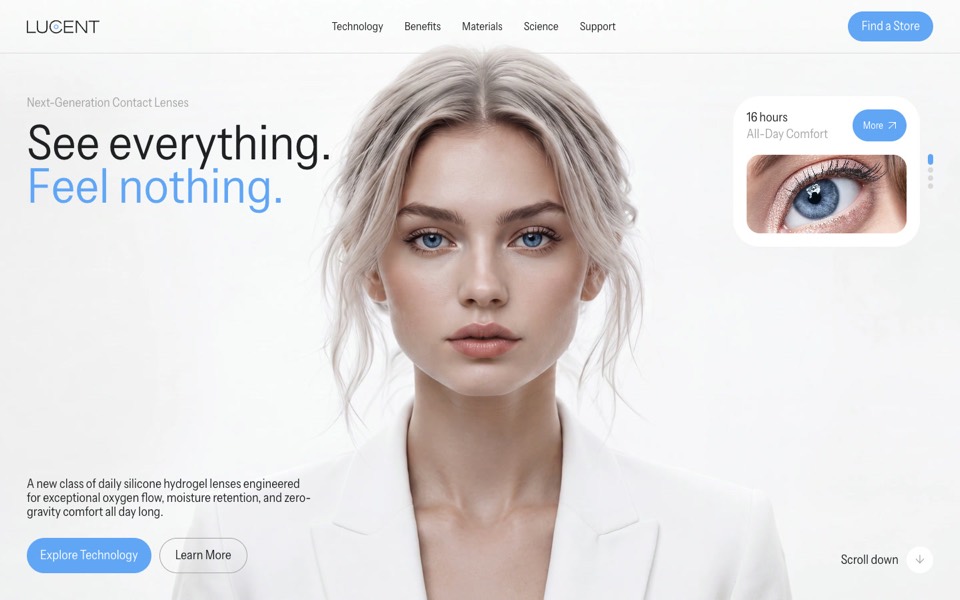
lucent
A contact-lens site that zooms into an eye on scroll, then splits a lens into its four layers.
copy its prompt on uberdesigner -
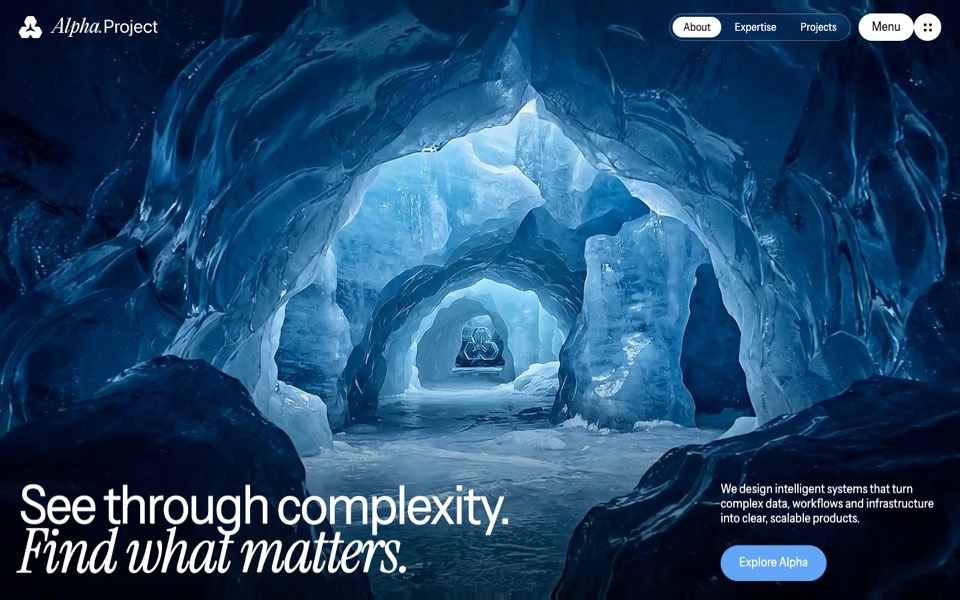
alpha project
A systems-studio site that flies down a frozen ice cave as you scroll, in depth parallax under the pointer.
copy its prompt on uberdesigner -
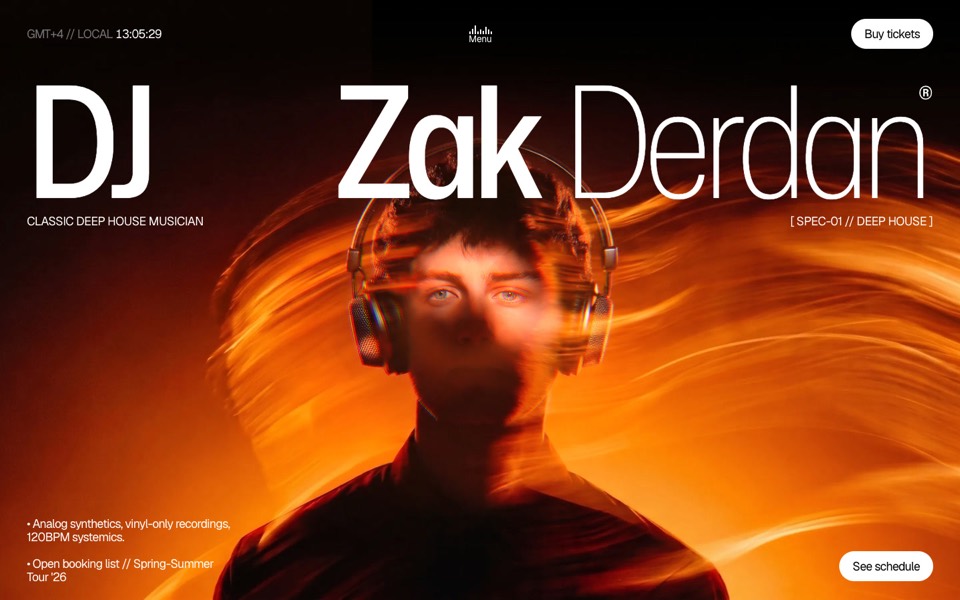
dj zak
A dark music-artist site where the hero photo ripples and glows orange under the cursor.
copy its prompt on uberdesigner -
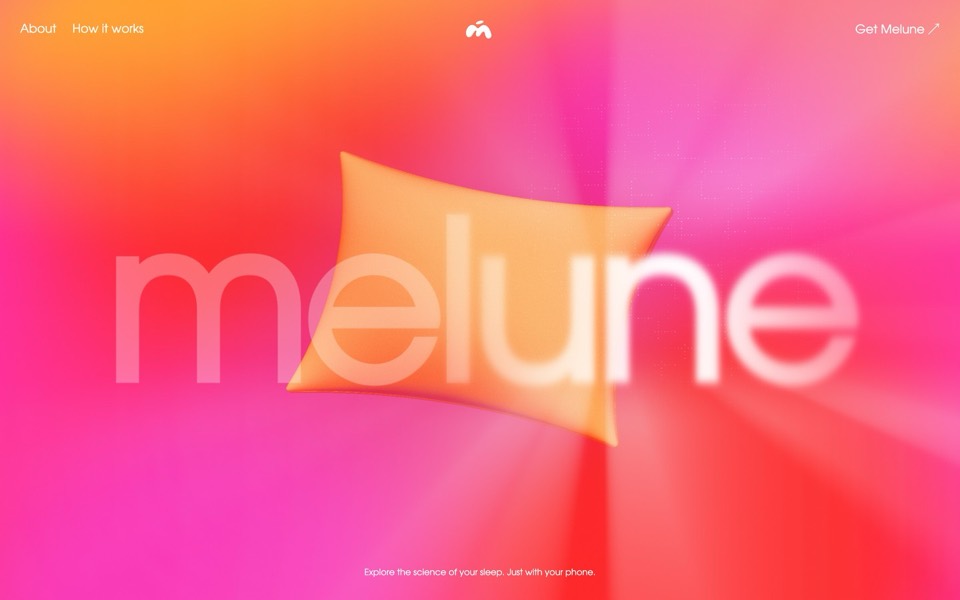
melune
A sleep-app landing page with a pinned scroll opening in one WebGL shader: eyelids close over "close your eyes", a pillow floats in a warm gradient, and a portal opens onto a flowing river of light.
copy its prompt on uberdesigner -
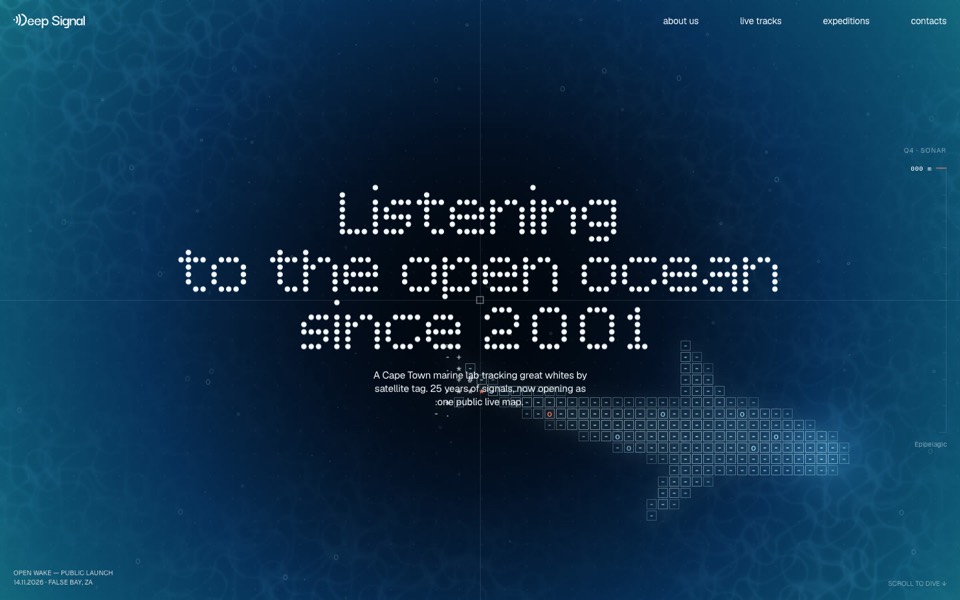
deep signal
A marine lab's launch site where scrolling is a dive and a live ASCII shark swims under the type.
see it on uberdesigner -
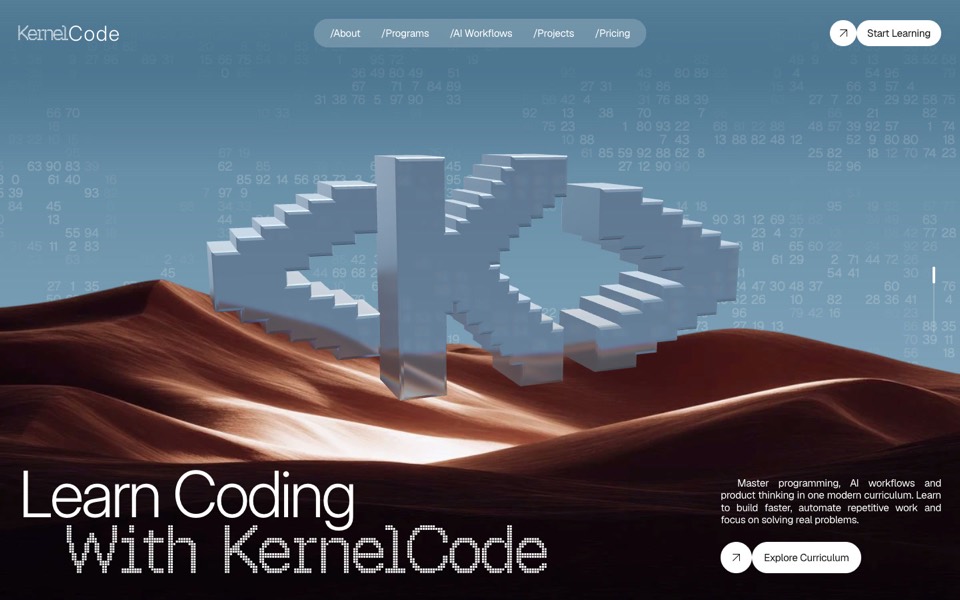
kernel code
A coding-school site where a glass pixel mark turns over desert dunes and a particle field becomes typing hands.
see it on uberdesigner
Questions and answers
Does the login need repeating for every project?
The server is registered with the tool on your machine, not with one repository, so one login normally covers your projects. How long a sign-in lasts is up to the client and the server; if the agent reports that it is not authorised, run the login step again.
Can I use the same server from a cloud or CI run?
A browser sign-in assumes a person at a browser. For unattended runs, check your tool's documentation for how it handles MCP sign-ins. We don't describe a setup for that here.
Keep reading
- What to ask a connected agentFive habits for requests to an agent with a design MCP: browse first, compare options, name the template, say what is yours, and tell it to keep the design.
- How to choose a design MCPFive criteria for judging a design MCP server: what its tools return, who made the designs, how you sign in, what counts against your plan, and whether results are checked.
Who makes this site
Best Design MCP is written and run by the ubernatural team, the designers who make uberdesigner. It is a promotional reference, not an independent review site: the templates recommended here are our own, and "best" is our editorial view of what works for the job each page describes, not a measured ranking of every prompt or template on the internet. Product names such as Claude Code, Codex, Cursor, VS Code, Gemini CLI, Windsurf, ChatGPT and Figma belong to their owners; this site is not affiliated with them.
Cite this page: Best Design MCP, “Design MCP for Codex CLI and Gemini CLI”. Reviewed 11 November 2026. https://bestdesignmcp.com/design-mcp-for-codex/